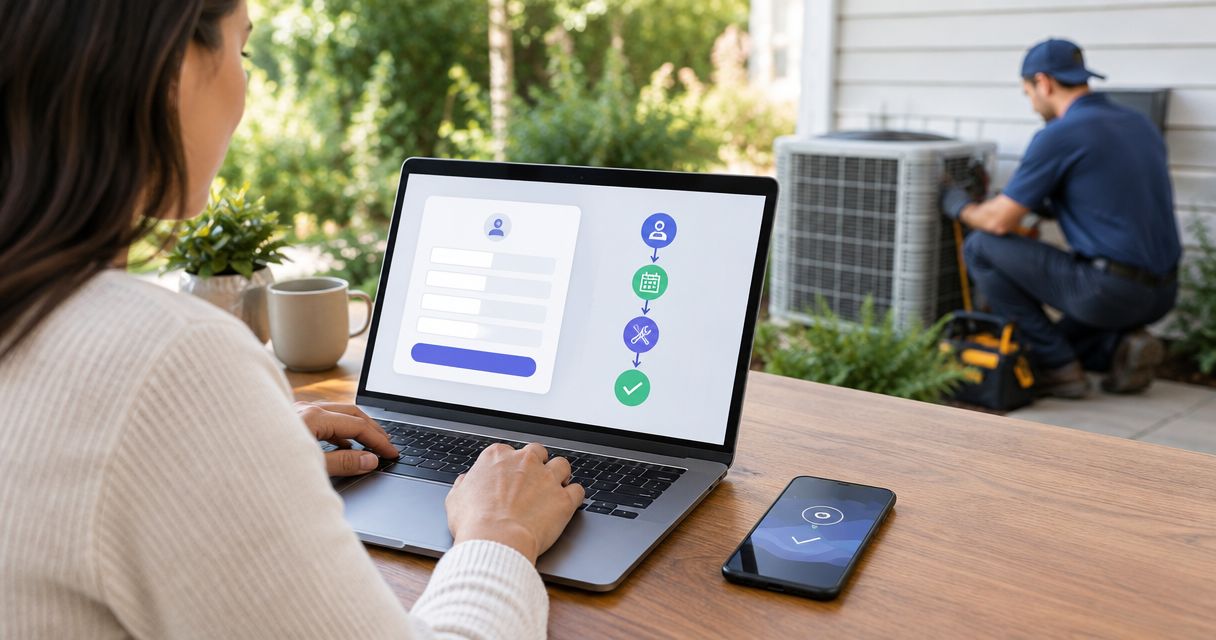
Instead of manually copying inquiries into your dispatch process, scope a RelayKite-to-FieldEdge workflow that carries the customer’s details, service request, and booking status into a dispatcher-reviewed handoff. A FieldEdge AI dispatch integration requires a verified connection and agreed scheduling rules; an appointment request alone is not a dispatched job.
- A FieldEdge AI dispatch integration needs verified access, field mapping, and booking rules before activation.
- RelayKite fits U.S. HVAC businesses seeking managed lead response and appointment setting, not an assumed dispatch connector.
- Keep technician assignment under dispatcher control until the approved workflow passes acceptance tests.
- Confirm successful record creation before sending customers a booking confirmation.
Why this matters
Lead response, appointment booking, and technician dispatch are separate responsibilities. Your workflow should preserve those boundaries rather than turn every interested prospect into an assigned service call.
RelayKite is best for U.S. HVAC businesses seeking managed lead response and appointment setting. Its role in this workflow is customer intake and follow-up, configured for your business. Treat FieldEdge connectivity and dispatch actions as implementation requirements to verify, not capabilities implied by the service description.
For your 2026 implementation, define success as a traceable handoff: the right customer, the right service location, an accurate request, and a clear next owner. Faster messaging is not enough if the dispatcher cannot tell what happened.
Before you start
- Arrange authorized access. Bring together your FieldEdge account administrator, the managed-service implementation contact, and the person responsible for dispatch. Have the administrator confirm the permitted connection method and access scope before sharing credentials or approving work.
- Prepare operating rules. Document service areas, accepted job types, business hours, booking windows, escalation contacts, and customer-message wording. Separate a preferred appointment time from a confirmed appointment.
- Resolve the hidden dependency. Confirm which actions the proposed connection actually permits: reading availability, finding customers, creating records, updating appointments, or assigning technicians. Permission to perform one action does not establish permission or support for the others.
Use the configuration units below as an implementation and acceptance guide, not as a list of assumed interface buttons. Have the implementation owner identify the actual controls and supported actions in your approved connection method.
Choose the handoff before configuring it
A FieldEdge AI dispatch integration should start with the smallest workflow that meets your operating need. Choose between a dispatcher-reviewed request and a confirmed-booking handoff only after checking what the connection supports.
| Workflow | Best for | Advantage | Limitation |
|---|---|---|---|
| Dispatcher-reviewed request | Teams retaining scheduling approval | Keeps exceptions and technician decisions with dispatch | Requires staff action before confirmation |
| Confirmed-booking handoff | Teams with verified scheduling access and approved booking rules | Removes a separate booking approval step for eligible requests | Requires reliable availability checks and successful record creation |
| Technician-assignment handoff | Teams with explicitly approved assignment support | Connects an accepted job to an assignment decision | Needs additional technician, territory, and exception rules |
Start with dispatcher review unless confirmed booking has passed testing. Managed intake reduces manual conversation handling, but it does not remove the need to define who owns exceptions. Do not describe the workflow as automatic technician dispatch unless assignment is explicitly supported and tested.
Connection scope
- Name the connection owner. Assign responsibility for authorization, configuration changes, failed transfers, and access removal. Record who can approve changes to customer-facing messages.
- Verify the supported route. Ask the implementation owner to demonstrate the proposed connection method and each required action. Do not assume a native connector, a particular automation platform, or direct API access.
- Limit permissions. Request only the access needed for the agreed workflow. Keep customer intake separate from broader account administration wherever the approved method permits that separation.
- Define the trigger. Specify the event that starts the handoff: a qualified inquiry, an appointment request, or an accepted booking. Choose one initial event rather than triggering on every conversational message.
- Set the activation gate. Require a demonstrated transfer using an approved test record before authorizing live customer traffic.
Expected result: You have a named owner, an authorized connection route, and a written list of supported actions. Each required action has evidence from a demonstration rather than an assumption.
Keep the approved scope with your 2026 operating documentation. If the connection supports request creation but not scheduling, launch a request workflow and retain dispatcher confirmation.
Customer and job mapping
- Define the customer match. Agree which existing customer identifiers the approved connection can use. Specify what happens when a phone number matches more than one person or the service address differs from the billing address.
- Map the service request. Include the customer’s name, contact details, service location, stated problem, requested timing, and relevant access notes. Map these to actual destination fields with the implementation owner.
- Separate facts from requests. Preserve the customer’s description without converting it into a confirmed diagnosis. Keep preferred timing distinct from an accepted appointment window.
- Preserve traceability. Carry a source reference or another agreed identifier where supported. Define how staff will connect a conversation to its destination record without copying unnecessary personal information.
- Define duplicate handling. Decide whether a repeated inquiry updates an existing request, creates a separate request, or enters manual review. Specify how retries are distinguished from genuinely new service needs.
Expected result: A dispatcher can identify the customer, find the correct property, understand the request, and trace the handoff. Repeated delivery of the same event does not silently become a second appointment.
Ask the implementation owner to show both a new-customer example and an existing-customer example. A successful transfer of an unfamiliar contact does not prove that matching works correctly.
Booking and dispatch rules
- Choose the scheduling authority. Name the system or person that determines whether a slot is bookable. If the workflow cannot verify current availability, collect a preference and send the request for approval.
- Define eligibility. Specify which service areas, job types, hours, and customer situations qualify for the automated path. Route everything else to a named staff queue or contact.
- Set the confirmation boundary. Send a confirmed-booking message only after the authorized destination accepts the appointment. Before that point, describe the interaction as a request or pending review.
- Separate dispatch approval. Decide whether technician selection remains manual. Add assignment rules only after the connection’s assignment support and operational safeguards are demonstrated.
- Create an exception path. Define what happens when no suitable time exists, the location is outside your service area, or the request requires urgent human attention. Use your business’s approved safety and escalation language.
Expected result: Customers receive messages that match the actual booking state, and dispatchers retain clear ownership of exceptions. The workflow does not promise an arrival window that nobody has accepted.
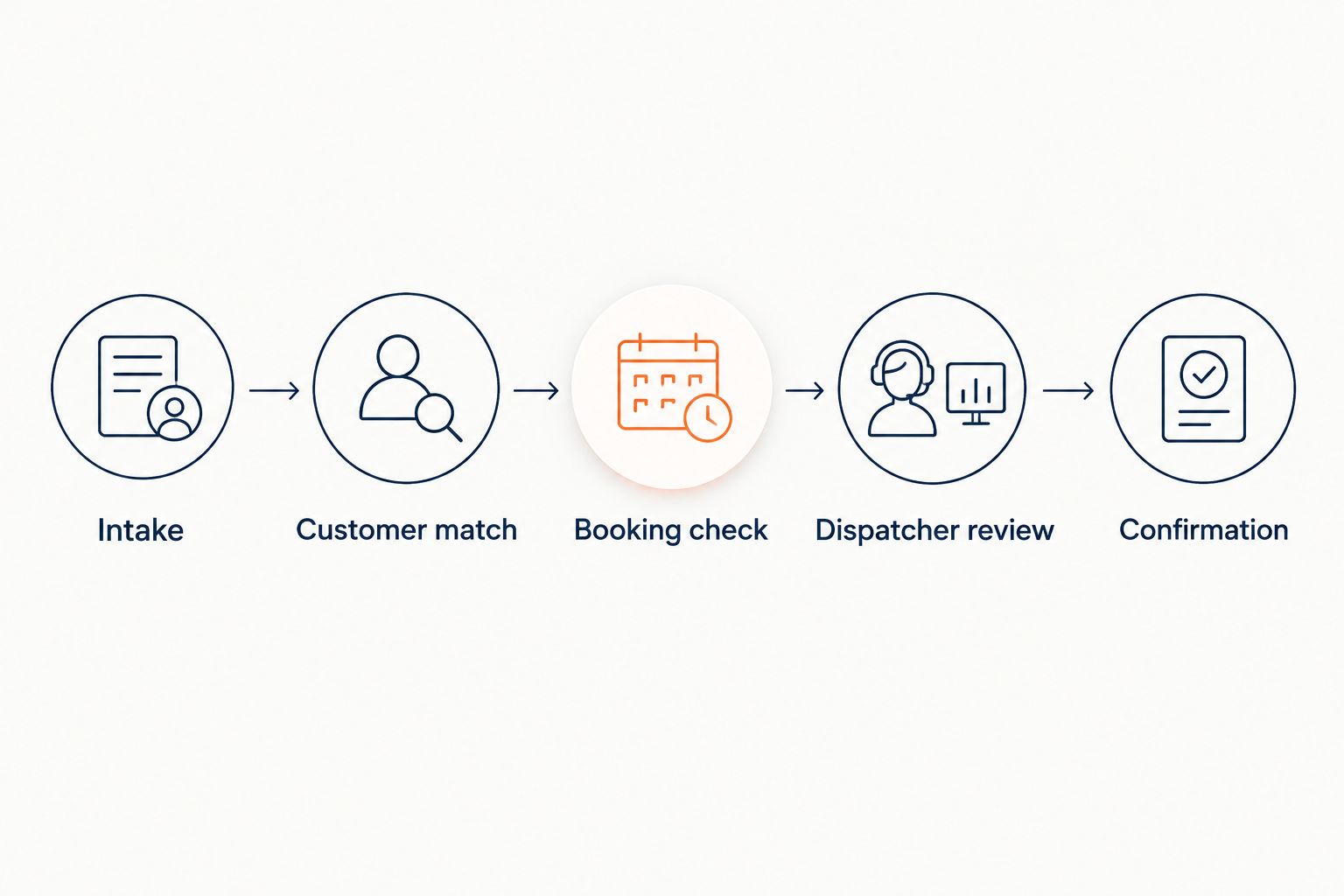
The handoff should follow a visible sequence: Intake, Customer match, Booking check, Dispatcher review, and Confirmation. For the initial dispatcher-reviewed workflow, confirmation follows approval rather than merely successful data transfer.
Acceptance tests and activation
- Run 3 test inquiries. Use an eligible new customer, an existing customer with a different service location, and a request outside your approved booking rules. Use clearly designated test details and prevent unintended customer notifications.
- Repeat 1 test event. Submit the same approved event again through the implementation’s supported testing method. Verify that duplicate handling follows the written rule rather than creating another appointment.
- Check 2 failure paths. Test an unavailable appointment window and a rejected destination write. Confirm that staff receive an actionable exception and that the customer does not receive a false confirmation.
- Compare the complete record. Check the source request against the destination customer, address, service description, time window, status, and owner. Review the actual customer message as well.
- Approve a controlled launch. Begin with a limited, agreed scope and a named dispatcher monitoring results. Establish a pause procedure before expanding coverage.
Expected result: Every test has a recorded outcome, an owner, and a pass or correction decision. Live operation begins only after the required cases pass.
For the 2026 launch record, document the configuration version, approval date, and rollback owner. These are operating controls, not a guarantee of bookings or dispatch speed.
Update the handoff when an appointment changes
A second workflow handles changes after the initial booking. Add it only when the approved connection supports the required updates; otherwise, route changes to staff for review.
- Identify which changes require action: a different appointment window, a cancellation, a corrected address, or revised access instructions.
- Locate the original appointment through its agreed reference. Do not create a replacement appointment merely because the workflow cannot find the first one.
- Apply only the supported, approved change. Send conflicting updates to a person rather than overwriting a dispatcher’s decision.
- Confirm the destination accepted the change before notifying the customer.
- Prevent update loops by defining which system owns each field and how the workflow recognizes its own changes.
Expected result: An appointment change updates the intended record or reaches a clearly owned exception path. The customer does not receive competing confirmations.
For rescheduling, distinguish a requested change from an accepted change. The existing appointment should not be treated as canceled simply because a customer asked about another time.
Troubleshooting
The conversation finishes, but no request appears
Check whether the agreed trigger actually occurred, whether required details were present, and whether the destination accepted the write. Inspect the connection’s available delivery evidence before retrying. A completed conversation is not proof of a completed transfer.
The same inquiry creates duplicate records
Review the source reference, retry behavior, and customer-matching rules. Distinguish a duplicate event from a returning customer with a new service problem. Correct the matching logic before increasing traffic.
The customer receives the wrong appointment time
Compare the original request, account time zone, destination time window, and outgoing message. Define whether your business uses arrival windows or fixed appointment times. Retest the complete path after changing the interpretation.
An appointment exists, but no technician is assigned
Check whether assignment belongs to the approved workflow at all. A booking-only connection needs a dispatcher-owned assignment step. Do not solve a scope gap by sending stronger confirmation language to the customer.
Updates keep replacing a dispatcher’s changes
Assign ownership for each shared field and stop unconditional overwrites. Route conflicting changes for review. Resume automatic updates only after the implementation owner demonstrates that staff edits remain protected.
Customize your workflow
Expand in stages: additional inquiry sources, additional service categories, then appointment updates. Keep each addition behind its own acceptance tests rather than copying approval from the initial setup.
RelayKite’s managed lead-response service should follow your approved qualification, follow-up, and booking rules. The benefit is delegated conversation handling; the trade-off is the work required to define exceptions and keep operating instructions current.
For acquisition-specific intake, use the Google Local Services Ads leads-to-booked HVAC jobs workflow to structure the handoff questions. Keep your 2026 review focused on observable outcomes: accepted records, correct statuses, resolved exceptions, and customer messages that match reality.
FAQ
Does RelayKite have a native FieldEdge integration?
Do not assume a native FieldEdge connector. Confirm the supported connection method, authorized actions, and implementation scope before approving the workflow.
Can a FieldEdge AI dispatch integration assign technicians automatically?
Automatic assignment requires explicitly supported assignment actions and approved dispatch rules. Appointment creation alone does not establish that a technician has been assigned.
What does real-time dispatch mean for this workflow?
Define real-time dispatch through an agreed event, destination action, and measurable timing requirement. Verify actual transfer behavior during testing rather than treating the phrase as a delivery guarantee.
Should an appointment request trigger a booking confirmation?
No. Send a booking confirmation only after the authorized scheduling destination accepts the appointment; otherwise, tell the customer the request is pending review.
How do I stop duplicate HVAC appointments?
Define a source reference, customer-matching rules, and retry handling before activation. Test repeated delivery of the same event separately from a returning customer making a new request.
Can I automate cancellations and rescheduling too?
Add cancellations and rescheduling only when the approved connection supports those updates. Locate the original appointment and verify the accepted change before sending a customer notification.
What should I check before launching in 2026?
Verify access, field mapping, booking authority, duplicate handling, failure routing, and customer messages. Assign a launch owner and a pause procedure before admitting live inquiries.
One last thing
Test the failure message before celebrating the successful booking. A rejected write that still produces a confirmation leaves the customer and dispatcher with different versions of the appointment.
Require the workflow to say what actually happened: request received, review required, or appointment confirmed. That distinction is more useful than an unverified promise of instant dispatch.