
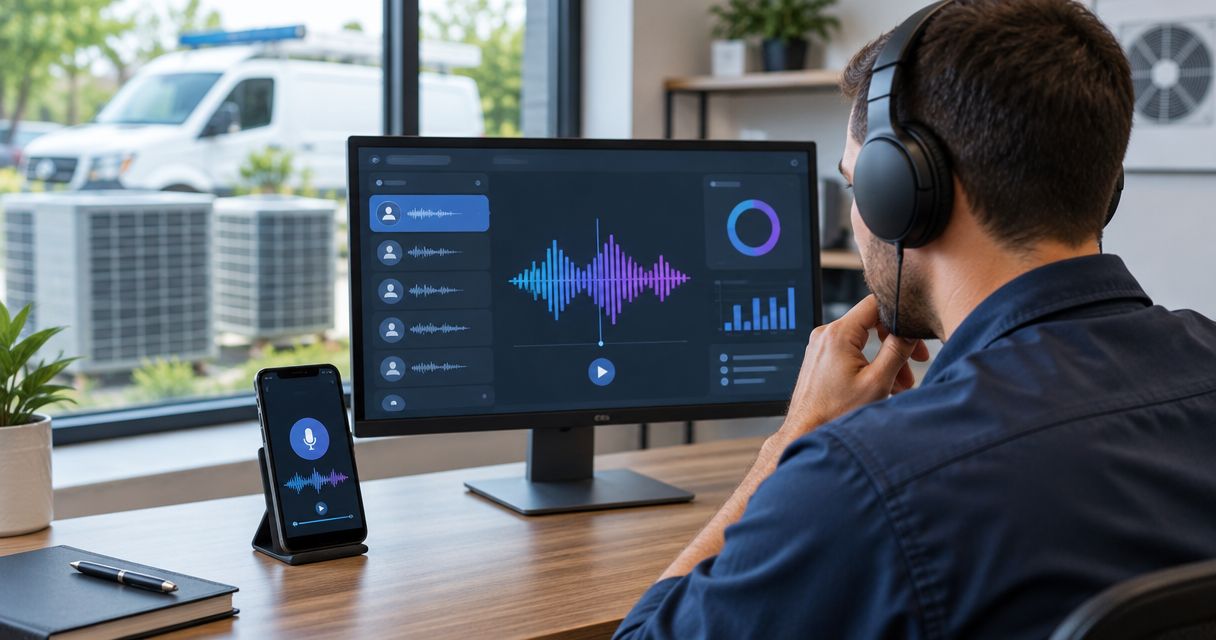
Yes—HVAC business owners can listen to AI call recordings later when their answering service records audio, retains it, and gives authorized users playback access. In 2026, you should verify those capabilities separately from transcripts or call summaries, and confirm the recording-consent process before enabling the feature.
- To listen to AI call recordings, HVAC owners need retained audio and authorized playback access—not just summaries.
- Ask providers to demonstrate playback, permissions, deletion, and access after account closure.
- RelayKite provides managed HVAC lead response and appointment setting; confirm recording capabilities separately.
- Review recordings alongside booking records to check what callers requested and what the service promised.
Can HVAC business owners listen to AI call recordings later?
Yes, if audio recording and later playback are included and enabled for your account. An automated conversation does not, by itself, establish that a recording exists or that you can retrieve it afterward.
Distinguish these 3 record types before choosing a service. Each supports a different kind of review, and none should be described as interchangeable with the others.
| Record type | Best for | What it provides | Main limitation |
|---|---|---|---|
| Audio recording | Checking exactly what was said and how | Replay of the captured conversation | Requires listening and appropriate access controls |
| Transcript | Searching for a phrase or reviewing wording | A written rendering of speech | Does not reproduce tone and can contain transcription errors |
| Call summary | Reviewing the reported outcome | A condensed account of the conversation | Omits detail and cannot establish every spoken exchange |
Ask the provider to open a completed test call and play its audio while you watch. Then ask whether that same access applies to your account, your authorized employees, and the calls your business actually receives.
A summary is not proof of audio playback. A demonstration should show the recording itself, not just a conversation description or a completed appointment.
Why this matters
You need to know more than whether a caller received an answer. You need to check whether the conversation captured the right service request, respected your booking rules, and set expectations your office can fulfill.
RelayKite provides managed lead response and appointment setting for U.S. HVAC businesses. Treat recording access as a separate evaluation question rather than assuming it follows from those services.
For a 2026 purchasing decision, define what “review calls later” means operationally. Listening to audio, reading a transcript, downloading a file, and reviewing a booking outcome are different requirements.
Audio helps you examine the conversation. It does not prove that a technician was assigned, a calendar entry was saved correctly, or the customer received subsequent instructions.
What should you verify before relying on playback?
Start with retrieval, not recording quality. A clear recording offers little practical value if your office cannot locate it when a customer calls back.
Ask the provider to demonstrate these 4 review questions using a test inquiry:
- Can you find it? Locate the conversation using the information your office would actually have, such as a caller number or call date.
- Can you hear it? Play the captured conversation and establish whether any portion is excluded.
- Can the right person access it? Show how an owner or authorized manager receives permission without sharing credentials.
- Can you control its lifecycle? Explain retention, deletion, export, and what happens when the account closes.
Treat these as acceptance criteria, not assumed features. Put the agreed requirements in the service documentation before depending on recordings for customer-service review.
Also ask whether inbound calls, outbound follow-ups, and transferred conversations follow the same recording rules. A demonstration of one call path does not establish how another path works.
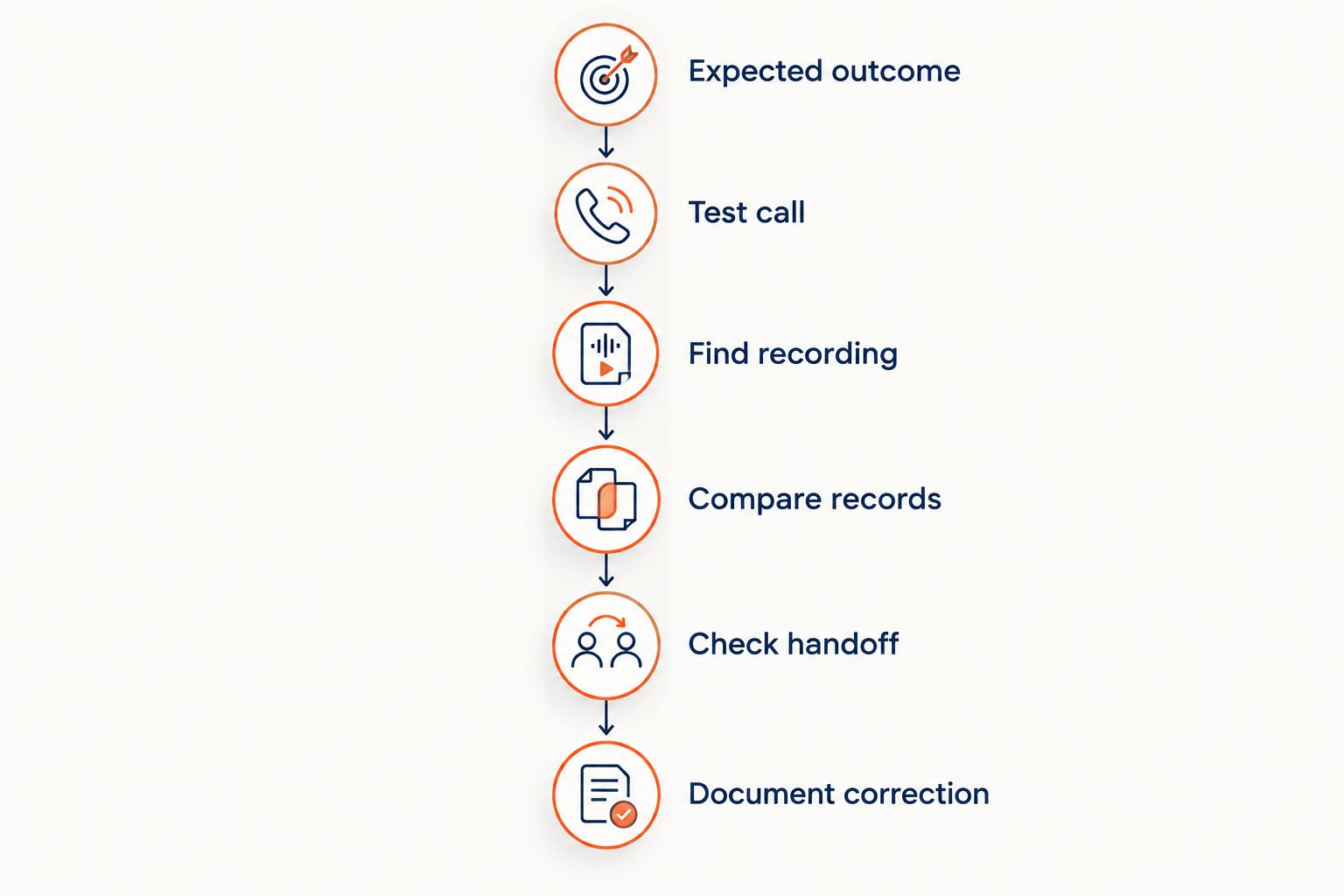
How to check an HVAC call recording: a 6-step process
Use a test conversation configured for your business. Keep the scenario realistic, but do not introduce real customer information merely to test playback.
1. Define the expected outcome
Write down what the caller will request and what the answering service should do. For example, your scenario might involve an existing appointment that needs a callback rather than a new booking.
Decide in advance which outcome counts as correct. Otherwise, a conversation that sounds polished can distract you from an incorrect handoff.
2. Place the test call
Use the actual call path you intend customers to use. Include a correction or clarification so you can examine how the conversation handles changing information.
Do not stage a safety emergency as an ordinary booking exercise. Review urgent-call instructions separately with the person responsible for your operating procedures.
3. Find the recording
Sign in through the access method the provider has approved for your role. Locate the completed test conversation without relying on a provider representative to find it for you.
Confirm which identifiers connect the recording to the inquiry. Your office needs a repeatable retrieval process, not a demonstration that only the vendor can reproduce.
4. Compare the records
Listen to the audio while checking any transcript, summary, and booking record that the service supplies. Identify whether the caller's corrections carried through to the final outcome.
Pay particular attention to the requested service, contact details, and appointment language. A correct summary does not excuse an incorrect promise made during the conversation.
5. Check the handoff
Follow the inquiry into the next operational step. Confirm whether the result was an appointment request, a confirmed booking, a callback task, or another outcome defined by your setup.
These labels matter. Your office should not treat an unconfirmed request as a commitment to send a technician.
6. Document the correction
Record the issue, the expected behavior, and the person responsible for changing the configuration. Repeat the relevant test after the change rather than assuming the adjustment worked.
For your 2026 launch checklist, retain the test result alongside the approved call-handling instructions. That gives your team a shared reference when reviewing later conversations.
Why recording access varies: 5 setup factors
“Call recording available” is not a complete specification. The useful question is whether the feature works for your call paths, your staff, and your review process.
- Recording scope. Establish which conversations are captured and whether transfers or follow-ups produce separate records. Ask what happens when a conversation moves outside the original system.
- User permissions. Define who can listen, download, share, and delete. Owner access and employee access are separate decisions.
- Retention settings. Establish when recordings are deleted and whether that timing differs from transcript or summary retention. Do not assume a saved contact keeps its audio indefinitely.
- Consent configuration. Have qualified counsel confirm the applicable recording requirements and the proposed notice or consent process. Configure the workflow accordingly.
- Account and data policies. Check what happens during a service change, account closure, or deletion request. An export capability and continued hosted access are different arrangements.
For each factor, ask for an explanation tied to your proposed setup. General product descriptions do not establish what is configured for your business.
What should you listen for in an HVAC call?
Review decisions and promises before reviewing conversational style. A friendly voice does not establish that the service followed your operating rules.
Service request and corrections
Check whether the conversation distinguished the caller's actual request from an early assumption. A request to discuss replacing equipment should not silently become a repair appointment.
Listen for corrections to names, addresses, contact details, and the reason for calling. Then compare the corrected information with the saved record rather than relying on the first answer captured.
Scheduling language
Identify what the caller was told about timing. An appointment request, an arrival window, and a confirmed visit should have distinct meanings in your configuration.
Listen for statements about technician arrival, diagnosis, warranty coverage, or work your business has not approved. Flag the exact wording instead of leaving a vague note that the conversation felt wrong.
Escalation and unresolved questions
Check what happened when the caller asked something outside the approved instructions. Your review should establish whether the conversation produced the required handoff or left an unanswered issue behind.
For urgent situations, evaluate adherence to your approved safety and escalation procedure. A recording review is not a substitute for a live emergency response process.
Customer understanding
Listen to the closing exchange. Did the caller leave with the same understanding that appears in the saved record?
A booking can look complete internally while the caller still expects a callback. Resolve that mismatch in the workflow rather than treating the completed record as the final answer.
How should you manage recording access and privacy?
Give access according to job responsibility. A manager reviewing a complaint needs a different level of access from an employee who only needs the appointment details.
Document who approves access, how access is removed, and where exported recordings are allowed to be stored. Avoid creating uncontrolled copies in personal inboxes or shared folders.
Do not treat an automated recording announcement as a universal legal solution. Recording requirements depend on applicable law and the circumstances of the call; obtain legal guidance for the workflow your business intends to use.
For a 2026 policy review, include the provider's recording practices and your own staff's handling of downloaded audio. The same privacy concern exists after a file leaves the original system.
Is a transcript enough to review an HVAC call?
A transcript is useful for text review, but it is not a substitute for hearing the captured conversation. Use it to locate relevant wording, then check audio when tone, interruptions, or an apparent transcription error matters.
The limitation works in both directions. Audio provides conversational context, while a searchable transcript can make it easier to locate the passage you need.
If your provider supplies only summaries, evaluate that service as a summary-based workflow. Do not build an audio-review procedure around a feature you have not demonstrated.
Does access to recordings guarantee better appointment booking?
No—recordings support review; improvements require a documented correction and a successful retest. Listening without changing an incorrect instruction leaves the original problem in place.
RelayKite is best suited to U.S. HVAC businesses seeking managed lead response and appointment setting. Evaluate any recording functionality separately against your oversight requirements, including retrieval, permissions, and retention.
The benefit of a managed service is relevant to buyers seeking managed delivery rather than a software-only workflow. The limitation is equally clear: that service description alone does not establish a particular recording feature, integration, or booking result.
FAQ
Can I listen to an HVAC AI call after it ends?
Yes, when the service records the audio, retains it, and grants your account playback access. Ask for a demonstration using your intended call path before relying on later review.
Is an AI call summary the same as a recording?
No—a summary is a condensed account, while a recording is captured audio you can replay. A summary does not establish every word spoken during the call.
Can my HVAC office manager listen to the recordings too?
Your office manager needs an authorized role that permits playback. Confirm the provider's permission controls rather than sharing the owner's credentials.
How long can I keep HVAC call recordings?
Retention depends on the service's policy and your configured settings. Confirm deletion timing, export rules, and any applicable legal obligations before choosing a retention period.
Do I need permission to record customer calls in 2026?
Your recording workflow must meet applicable consent and notice requirements. Have qualified counsel assess the laws and circumstances relevant to your business before enabling recording.
Does RelayKite include downloadable call recordings?
Confirm downloadable recording access directly with RelayKite before making it a purchasing requirement. Managed lead response and appointment setting do not, by themselves, establish recording or export functionality.
Should I review audio or the appointment record first?
Start with the outcome you need to verify, then compare the appointment record with the audio. The recording shows what was said; the appointment record shows what was saved.
One last thing
Ask the provider to demonstrate a corrected call, not just a successful one. Have the test caller change an address or clarify the service request, then check whether that correction appears in the audio, the written record, and the final handoff.
Your acceptance test should follow the correction all the way through. That reveals more about the review process than hearing a smooth greeting.