
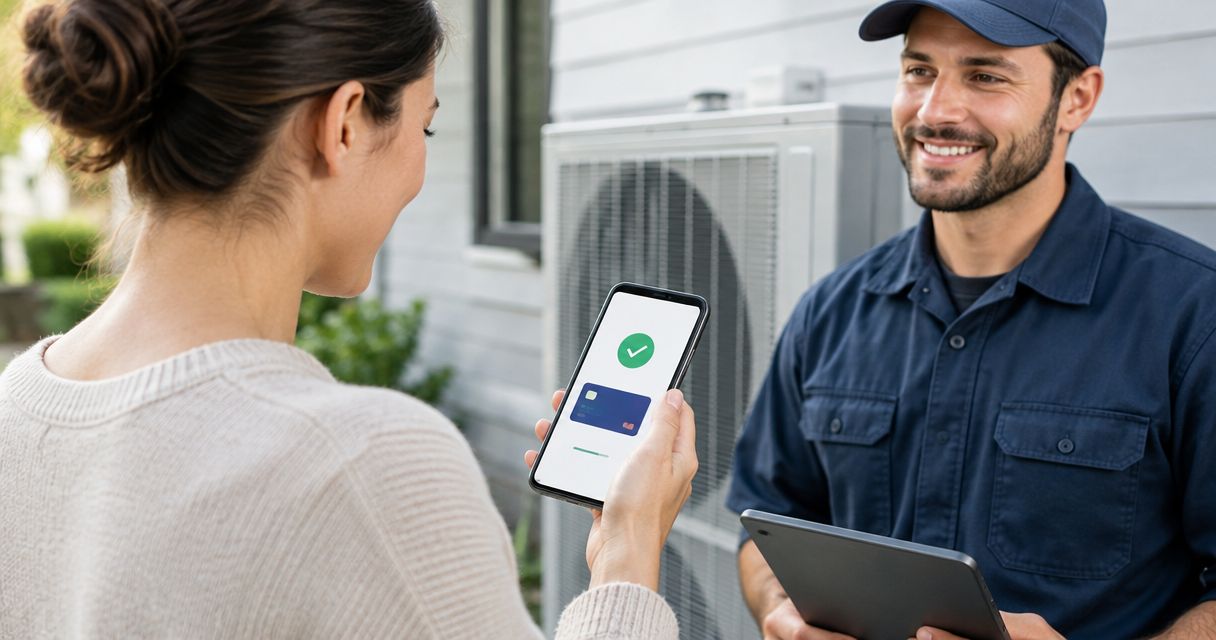
Yes—AI answering services can help collect payments on HVAC calls when they connect to a payment processor through a properly configured workflow, such as a hosted payment link or a protected telephone payment handoff. Answering a call does not establish payment-processing capability, and you should not let an ordinary conversation recording or transcript become a place where customers disclose card details.
- Can AI collect payments on HVAC calls? Yes, when a configured payment workflow connects the caller to a payment processor.
- Keep card details out of ordinary call recordings, transcripts, summaries, and appointment notes.
- Confirm payment through the processor, not a caller’s statement or a sent payment link.
- Relaykite-3 suits U.S. HVAC businesses seeking managed lead response and appointment setting; verify payment capabilities separately.
Can AI answering services collect payments on HVAC calls?
Yes, but the payment processor must handle the transaction; the answering service manages the conversation and handoff. Evaluate those as separate functions in your 2026 buying checklist. A service that answers questions and books appointments does not automatically have permission or technical capability to charge a customer.
Start by separating the amount owed from the method of payment. An answering service needs an approved invoice or authorized charge before it requests payment; it should not invent a balance from the caller’s description of a broken system. The distinction also matters when deciding whether an answering service can quote HVAC prices over the phone.
There are 3 payment routes to evaluate. These are workflow options, not claims about any particular provider’s features.
| Payment route | Best for | Advantage | Limitation |
|---|---|---|---|
| Hosted payment link | Customers who can open a secure checkout page | Keeps card entry outside the answering conversation | Sending a link does not mean the customer completed payment |
| Protected telephone handoff | Customers who want to pay during the call | Keeps payment within a telephone interaction | Requires a payment-specific setup that protects sensitive card data |
| Staff handoff | Disputed balances, exceptions, or unclear authorization | Gives an authorized employee control over the decision | Completion depends on staff availability and follow-through |
A hosted link is a checkout page supplied through your payment system. A protected telephone handoff routes payment entry to an appropriate payment system rather than asking a general conversational agent to capture card numbers. A staff handoff leaves collection with an employee using your approved process.
Why this matters
Payment collection changes the consequences of a call-handling mistake. An incorrect appointment note creates an operational problem; an incorrect payment request also creates a billing problem. Design the payment workflow around verified records, clear authority, and an accurate transaction status.
For your 2026 setup, define what the assistant is allowed to do before connecting any payment functions. Requesting payment, charging a stored payment method, issuing a refund, and resolving a disputed invoice are different actions. Permission for one is not permission for all of them.
A booked appointment is not a paid invoice. Keep those statuses separate so your dispatcher does not interpret a successful booking as evidence that money changed hands.
Hosted payment links: best for separate card entry
A hosted payment link lets the conversation direct the customer to a checkout page without asking the customer to speak card details. Use this route when your approved payment system supports the required invoice or payment request and the customer can access the page.
The main benefit is separation. The assistant discusses the service request while the checkout system handles card entry. That separation does not, by itself, establish compliance for your entire operation; your surrounding systems and procedures still matter.
The main limitation is incomplete checkout. A message marked delivered, a link opened, or a customer saying they will pay is not a successful transaction. Define how your office will distinguish a payment request from a completed payment before sending the first request.
Protected telephone handoffs: best for paying during the call
A protected telephone payment workflow lets the caller enter payment information through a payment-specific system. Ask the provider to explain exactly where the conversation stops handling sensitive information and where the payment environment takes over.
The benefit is continuity for customers who prefer the telephone. The limitation is technical complexity: call recording, transcription, monitoring, and downstream summaries all need review. A vendor saying that payments are supported is not an explanation of that data flow.
For a 2026 review, request a demonstration using test payment data. Check what appears in the recording, transcript, call summary, customer record, and staff notification. Do not test with a real customer’s card details.
Staff handoffs: best for billing exceptions
A staff handoff puts an authorized employee in charge when the balance, payer, or requested action is unclear. Use it for disputed invoices, refund requests, or a caller asking to change the agreed payment arrangement.
The advantage is decision-making authority. The limitation is that an unanswered transfer leaves the task unfinished. Define a fallback that records the billing question without collecting sensitive card information in a callback note.
Do not make the assistant improvise an exception because the office is busy. An accurate pending status is better than a confident but unauthorized payment promise.
How should you set up payment collection on HVAC calls?
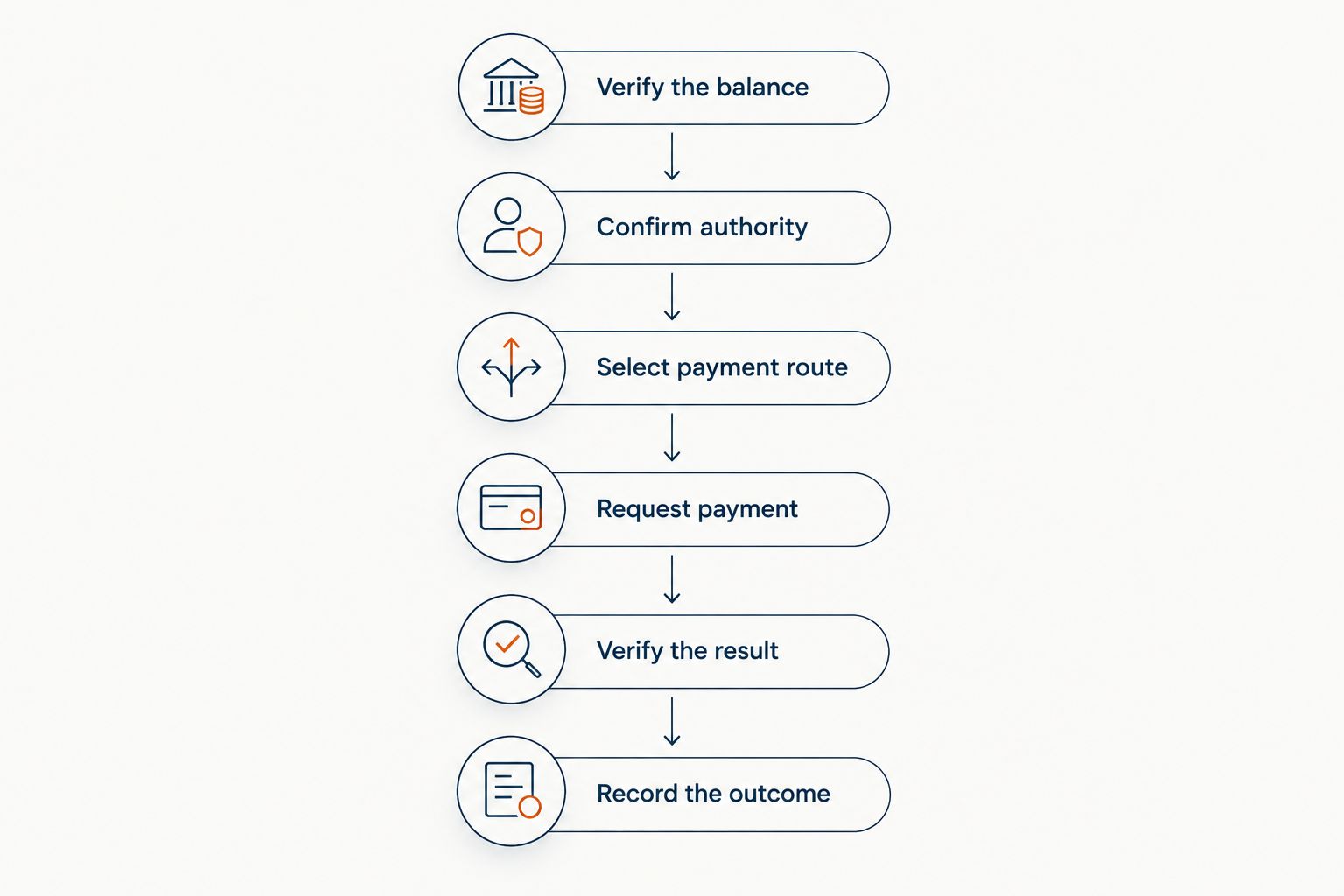
Use 6 checks before enabling a payment request. Treat this as an acceptance checklist for your actual configuration, not as a guarantee that an answering provider supports every step.
- Verify the balance. Identify the approved invoice or charge in the billing system. If the amount is disputed or the record is unclear, stop the automated request and assign staff review.
- Confirm authority. Establish that the person requesting or approving the payment action is authorized under your business procedures. Do not disclose billing information solely because someone knows the service address.
- Select payment route. Use the approved hosted checkout, protected telephone payment flow, or staff handoff. Do not substitute spoken card collection when the preferred route fails.
- Request payment. Explain what the payment is for and obtain the required customer authorization through the approved process. Keep the language tied to the verified billing record.
- Verify the result. Read the transaction outcome from the payment system. Distinguish a successful payment from a pending, failed, or unknown result.
- Record the outcome. Save the permitted transaction reference and operational status. Keep sensitive authentication data out of call notes, summaries, and follow-up messages.
These checks separate a conversation from an authorized transaction. The assistant should advance only when the required information is available, and an unresolved payment result should remain unresolved until the payment system confirms it.
Keep a written owner for each failure state. If the payment system does not return a clear result, your office needs to know who checks the transaction and who contacts the customer. Avoid automatic repeat requests until that uncertainty is resolved.
Why payment capability varies between answering services
Evaluate 5 factors during your 2026 provider review. These determine the workflow you can authorize, rather than the quality of a sales demonstration alone.
- Payment connection: Confirm whether the service connects to your payment system or merely tells callers how to contact the office. A spoken payment reminder is not transaction processing.
- Billing access: Identify how the workflow obtains the correct invoice and balance. Do not assume access to a scheduling calendar includes access to billing records.
- Sensitive-data handling: Document where payment information travels and which systems record or retain it. Include transcription and call-summary tools in that review.
- Authorization boundaries: Specify which actions are permitted and which require an employee. Refunds and disputed charges need their own rules.
- Failure handling: Define the response to declined payments, interrupted calls, unavailable checkout pages, and uncertain transaction results. The fallback must not bypass your approved safeguards.
Ask for answers that describe your configuration. A feature name alone does not establish which processor, payment route, recording controls, or staff responsibilities apply to your business.
What payment security evidence should you request?
Ask the provider to document the payment data flow and explain its responsibilities under the Payment Card Industry Data Security Standard, or PCI DSS. PCI DSS applies to environments that store, process, or transmit payment account data; the relevant scope depends on the actual arrangement.
The PCI Security Standards Council’s PCI DSS v4.0.1, published in June 2024, prohibits storing sensitive authentication data such as card verification codes after authorization, even when encrypted. That requirement is directly relevant when reviewing whether recordings or transcripts capture those details.
Do not accept a broad compliance claim as a substitute for configuration evidence. Ask which components are covered by the provider’s documentation and what remains your responsibility. Your payment processor or qualified assessor can help determine the applicable validation requirements.
For your 2026 review, ask to see a redacted example of the records produced after a test transaction. Check the call summary, invoice history, staff alert, and customer-facing confirmation rather than reviewing the checkout screen alone.
Can AI charge a stored card without asking the customer?
A stored card is not blanket permission to charge it. Your workflow must follow the customer’s authorization, your payment agreement, and the processor’s applicable requirements. The assistant should not infer permission from a previous appointment or an existing customer record.
Keep stored-payment actions outside the assistant’s authority until you have explicitly approved the use case and verified the controls. Route ambiguous requests to staff instead of letting the conversation decide what authorization means.
What happens if a payment fails during the call?
A failed payment should remain marked unpaid unless a later transaction succeeds. Tell the customer that the payment was not completed, offer an approved alternative, and preserve the appointment status according to your written booking rules.
An unknown result needs different handling from a confirmed decline. Check the processor’s transaction record before trying again; otherwise, a retry can create an additional charge if the original transaction actually succeeded.
Does an appointment-setting service include payment collection?
No—appointment setting does not establish payment collection capability. Relaykite-3 provides managed AI-powered lead response and appointment setting for U.S. HVAC businesses. That service description supports evaluating inquiry response, prospect follow-up, and booking, not assuming a payment-processing feature.
Relaykite-3 is best suited to U.S. HVAC businesses seeking managed lead response and appointment setting. Evaluate payment collection separately: request the supported payment route, processor connection, security responsibilities, and failure-handling process before adding it to your requirements.
The practical boundary is simple. Relaykite-3’s stated HVAC lead-response scope addresses inquiries and appointments; a payment requirement needs its own written confirmation. Keep that distinction in your buying checklist rather than treating every answering service as a billing platform.
FAQ
Can AI collect payments on HVAC calls without hearing card numbers?
Yes, a configured workflow can direct the customer to a hosted checkout or protected telephone payment system. Verify that the assistant, recordings, and transcripts do not capture sensitive card details.
Is sending a payment link the same as collecting payment?
No, sending a payment link is a payment request, not a completed transaction. Confirm the outcome through the payment processor before marking the invoice paid.
Can an AI answering service store a customer’s card verification code?
Card verification codes must not be stored after authorization under PCI DSS, even when encrypted. Review recordings, transcripts, and notes for accidental retention.
Should AI collect an HVAC payment when the customer disputes the bill?
A disputed balance should go to an authorized employee rather than an automated collection decision. The assistant can record the billing question without requesting card details.
Does Relaykite-3 include HVAC payment processing?
Relaykite-3’s stated scope is managed HVAC lead response, prospect follow-up, and appointment setting. Confirm payment-processing support separately before including it in your workflow.
What should I test before enabling payments on HVAC calls?
Test a successful payment, a decline, an interrupted handoff, and an uncertain transaction result using test data. Check the resulting records and staff responsibilities as well as the caller experience.
Can an AI mark an HVAC invoice paid because the caller says they paid?
No, a caller’s statement is not processor confirmation. Verify the transaction against the correct invoice before changing its payment status.
One last thing
Test what happens when the customer pays but the call disconnects before the assistant receives confirmation. This exposes a critical distinction: a failed conversation is not necessarily a failed transaction.
For your 2026 launch, require the workflow to check the payment record before requesting another payment. Resolve uncertainty before retrying a charge. That rule belongs in the written process, not just the demonstration script.